


DJ controller
Decks and a mixer in one unit that controls DJ software on a laptop. The most affordable way to start.
Good if you are new or play from a laptop.
Needs a computer? Usually yes.


DJ controllers, standalone players, mixers, turntables, DJ headphones, cartridges and accessories for mixing at home, in the club and on the road. Whether you are choosing a first controller or upgrading to club-standard players, this page explains the main setups and what to look for. Several DJ setups are ready to try in our Rotterdam showroom.
Highlights


Start here
Most DJ setups are one of these four. They differ in what plays the music and how close they are to a club booth.
Decks and a mixer in one unit that controls DJ software on a laptop. The most affordable way to start.
Good if you are new or play from a laptop.
Needs a computer? Usually yes.
Screens, decks and mixer in one unit that plays music from USB sticks or streaming, no laptop needed.
Good if you want a club workflow at home or mobile gigs.
Needs a computer? No.
Separate media players or CDJs with a club mixer: the setup found in most club booths.
Good if you play clubs or want room to grow.
Needs a computer? No, only for preparing music.
Vinyl decks with a mixer for playing records, scratching or digital vinyl systems (DVS).
Good if you collect or scratch vinyl.
Needs a computer? Only for DVS.
First setups
What each first setup needs to be complete.
Laptop DJ
A 2-channel controller, DJ software, headphones and a pair of speakers.
Vinyl
Two direct-drive turntables, a scratch or club mixer, cartridges and slipmats.
Club-ready
Media players and a club mixer with the same layout you will meet in clubs, plus a case to carry your music and headphones.
Category guide
DJ equipment is grouped by its place in the booth. Here is what you will find in each group.
DJ controllers control software such as rekordbox, Serato DJ or Traktor, with jog wheels, pads and a built-in mixer and sound card. Standalone systems add screens and play music from USB or streaming services without a laptop. Media players and CDJs are the individual decks used in club booths.
DJ mixers blend two or more sources with EQs, filters and a crossfader. Club mixers have four channels, effects and routing for players and turntables; battle mixers have two channels and a fast crossfader for scratching. Effect units add delays, echoes and filters on top.
DJ turntables are direct-drive decks with high torque, pitch control and stable speed. They play records or, with a digital vinyl system, control music files using timecode vinyl.
DJ headphones are closed-back to block out the club sound, loud enough for monitoring next to big speakers, and built with swivelling ear cups for one-ear listening. Durability and replaceable cables matter for gigging.
Cartridges and styli read the record groove: spherical styli are robust for scratching, elliptical styli give more detail for mixing. Slipmats, headshells and replacement parts keep turntables running.
Cases, bags, stands and laptop stands, decksavers and cables to carry, protect and connect a DJ setup.
Buying guide
Six things to compare before you buy your first or next DJ setup.
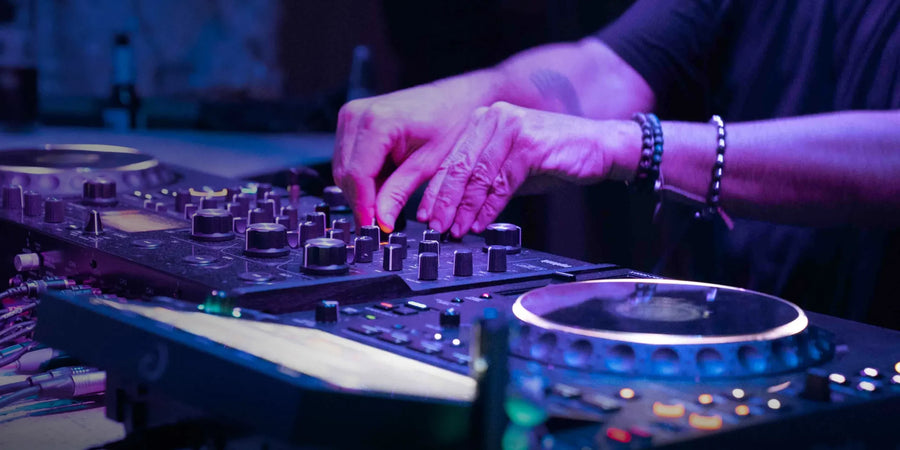
Each controller works best with one DJ software: rekordbox, Serato DJ, Traktor or djay. If you plan to play club gear later, choose software that exports to it, so your library and cue points move with you.
Two channels are enough to mix one track into the next. Four channels let you layer acapellas, loops or extra decks, and match the mixers in most clubs.
Larger jog wheels feel closer to club players. If you want to move to club booths later, a controller with a club-style layout makes the switch easier.
Standalone systems play from USB and streaming with no computer, which is quicker to set up and more reliable on gigs. Laptop controllers cost less and give access to software features.
A booth output lets you hear yourself on a separate monitor speaker. Balanced XLR master outputs are needed to connect to most PA systems.
Closed DJ headphones are essential. At home, a pair of active monitors placed at ear height shows you how your mix really sounds.
Glossary
The words you will meet on product pages and in the booth.
A 2-channel DJ controller with included software, a pair of closed DJ headphones and speakers is the most affordable way to learn the basics.
A controller is cheaper and works with a laptop. CDJs or media players and a club mixer cost more but match what you find in most clubs.
For most controllers, yes. Standalone systems, media players and turntables work without one, although you still use a computer to prepare your music library.
Choose the software that suits the gear you want to play on later. rekordbox is common in clubs, Serato DJ is popular with scratch and open-format DJs, and Traktor and djay offer their own workflows.
Many controllers and standalone systems connect to streaming services such as Beatport, Beatsource, SoundCloud or TIDAL. Check the product page for supported services.
Two direct-drive turntables, a DJ mixer, cartridges with styli, slipmats and headphones. With a digital vinyl system you can also control music files from records.
Yes. Our Rotterdam showroom at Oude Binnenweg 38 has DJ gear set up to try; products marked “In Store” are on the shelf.
Rotterdam showroom
Volt Music Store is an independent shop for synths, modular, studio and DJ gear, with a showroom at Oude Binnenweg 38 in Rotterdam since 2022. Our DJ range covers 200 products from 20 brands, from first controllers to club-standard players and turntables.
Everything marked “In Store” is on the shelf and can be tried before you buy. In-store stock ordered before 15:00 on a working day is dispatched the same day, and delivery in the Netherlands is free above €150. We also run free events in the showroom, from workshops to brand evenings.


